
Hiro 2.0 Beta: What’s New
Hiro 2.0 Beta is here! We’ve completely rebuilt the platform with a new, faster interface that’s easier to navigate and gives you more ways to analyze and report on your clients.
Beyond the new look and feel, Hiro 2.0 goes deeper into customer behavior and retention — helping you understand not just how campaigns and flows perform, but what happens after the click: who those customers become, whether they come back, what they subscribe to, and how long they stay.
Here’s what’s new.
Subscriptions
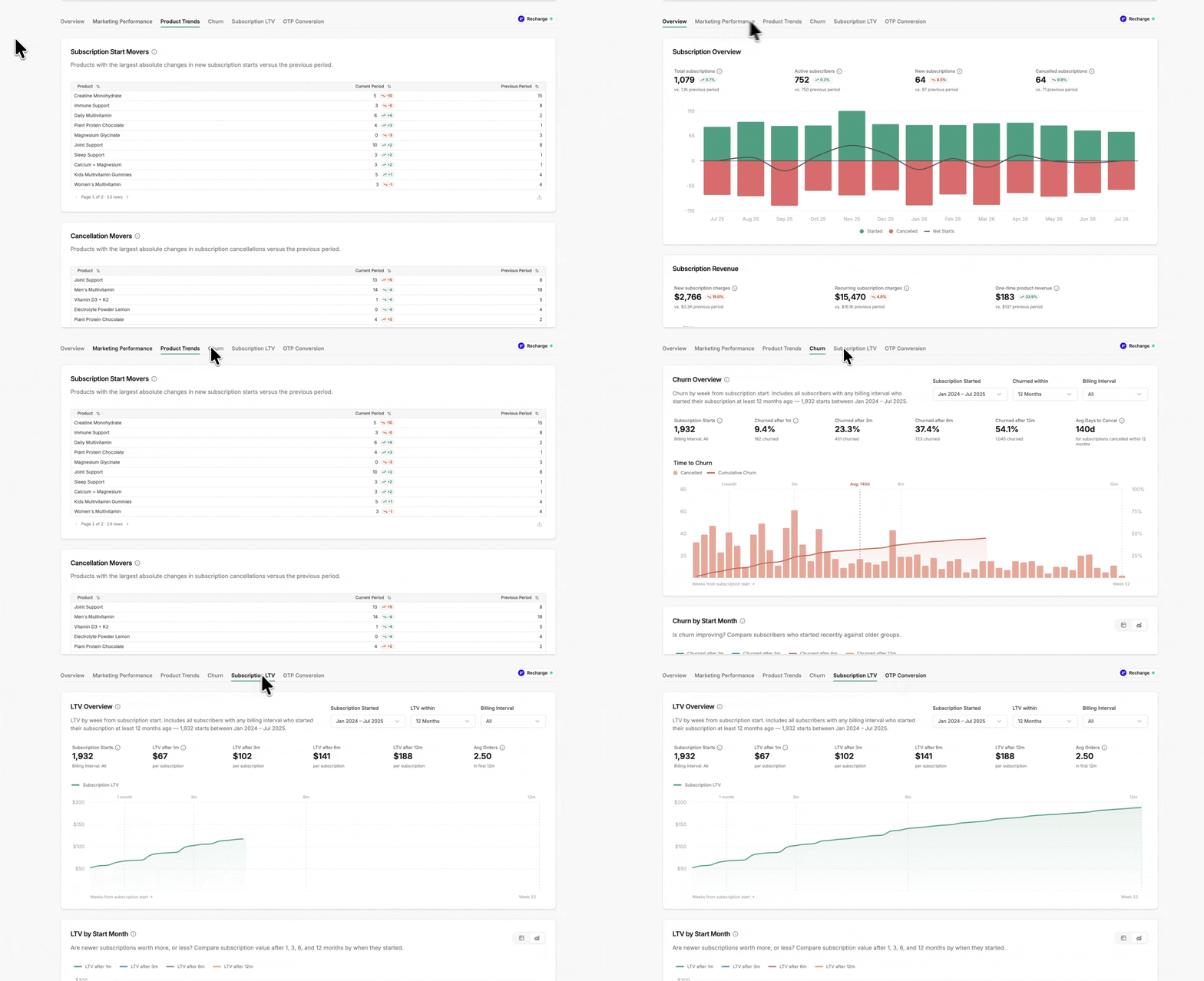
For brands running a subscription program on Recharge, Skio, Loop, Stay AI, and Seal - Hiro now automatically reports on subscription performance without having to add in additional tracked metrics.
Program health — Track active subscriptions, starts, cancellations, net growth, and new vs. recurring subscription revenue.
Marketing contribution — See which campaigns and flows drive subscription starts, reactivations, add-ons, and revenue.
Churn — Understand when subscribers churn, which starting products retain best, and why customers cancel.
Subscription LTV — Compare lifetime value by cohort and starting product to identify your highest-value subscribers.
One-time → subscription — See which one-time buyers become subscribers, how long it takes, and which products drive conversion.
Lifecycle
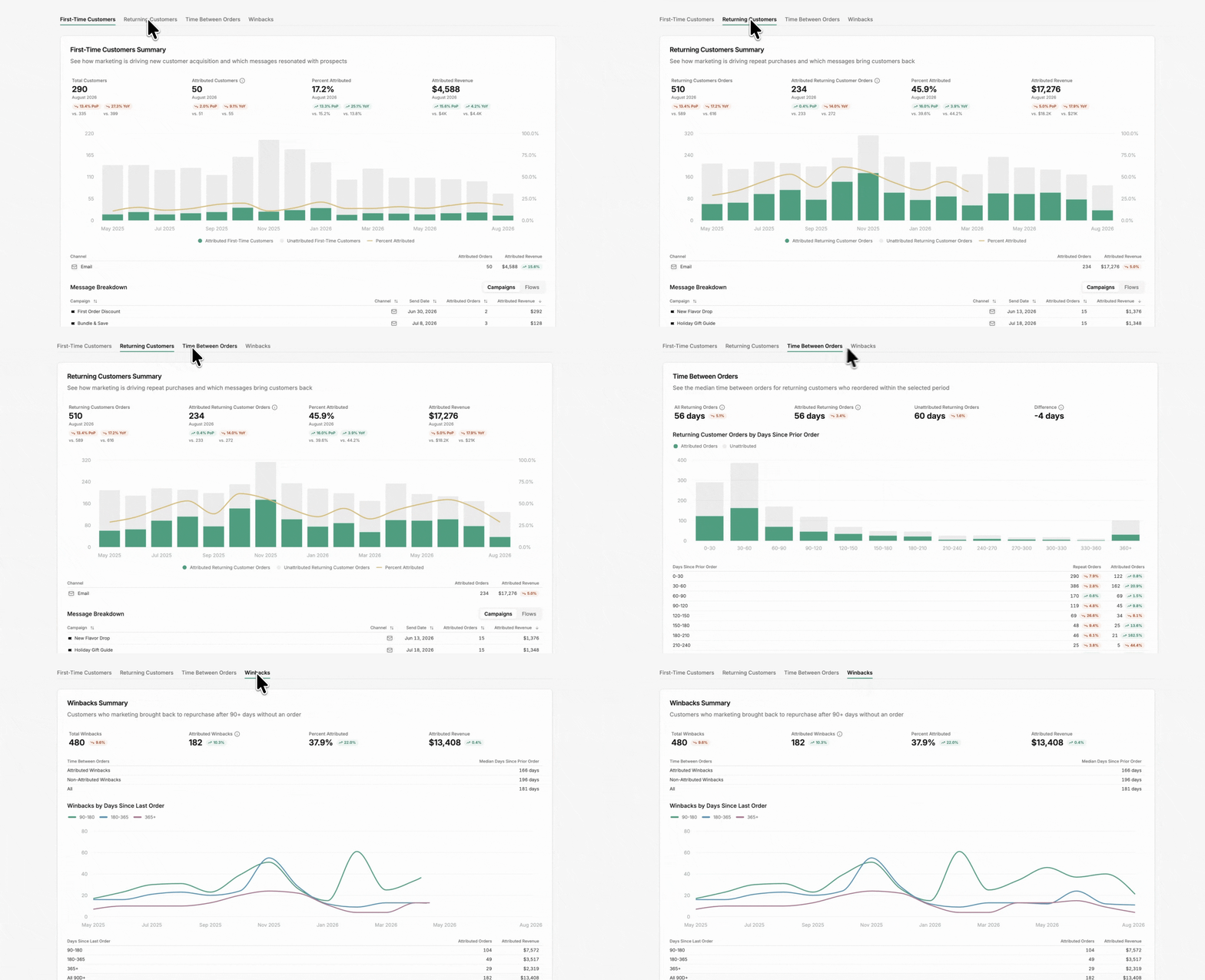
Understand how marketing impacts the customer beyond the initial conversion.
First-time vs. returning customers — See how much new and repeat business marketing drives and which messages are responsible.
Time between orders — Understand when customers naturally repurchase and how marketing impacts that window.
Winbacks — See which campaigns and flows successfully bring back customers after 90+ days of inactivity.
RFM — Track customers across Champions, Loyal, Recent, At Risk, Inactive, and other lifecycle segments — including how marketing moves customers into healthier groups.
Cohorts
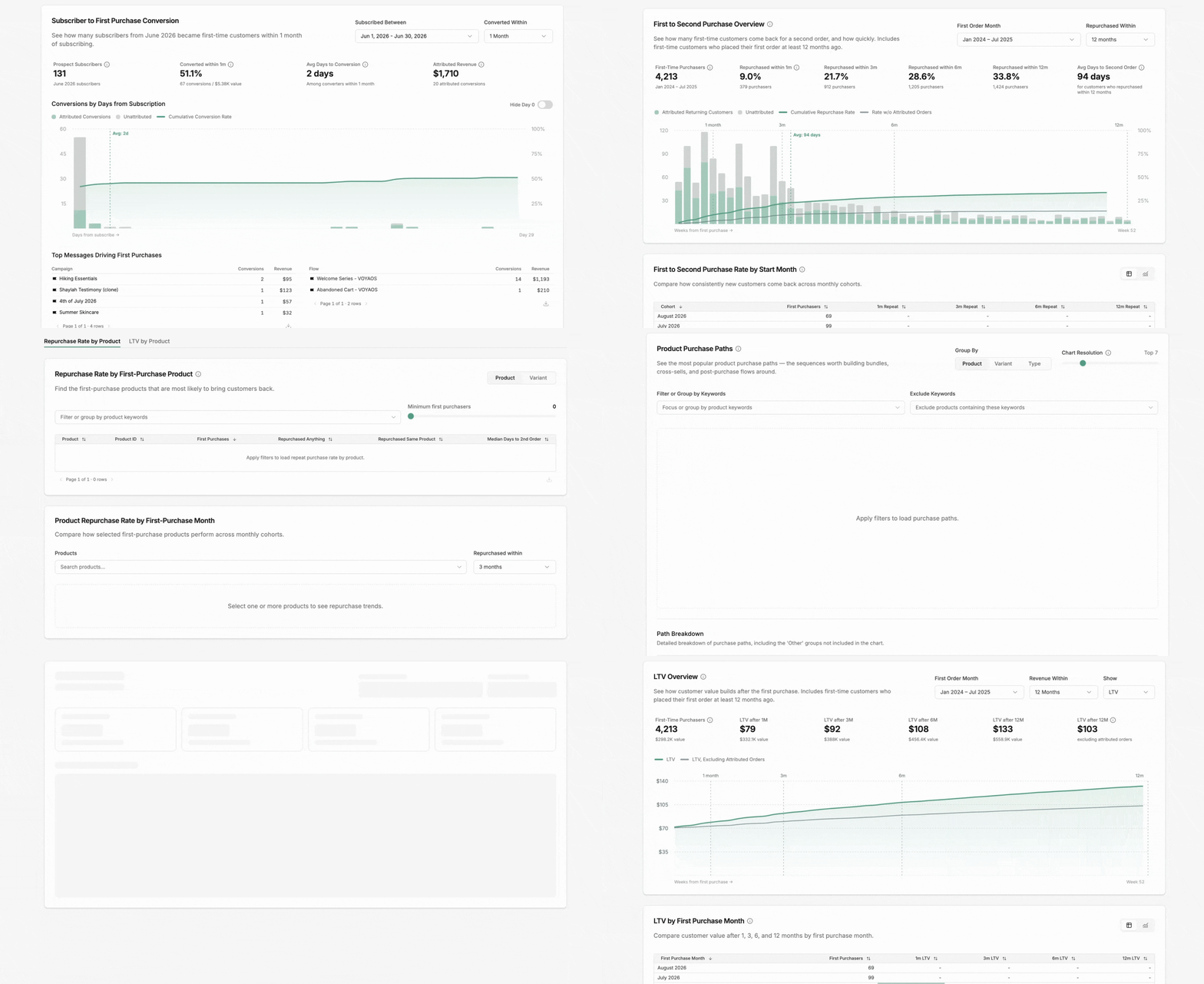
Follow groups of customers forward from their first action to understand how acquisition decisions impact long-term retention.
Subscriber → first purchase — See how many subscribers convert, how quickly, and which welcome messages drive the purchase.
First → second purchase — Track repurchase rates at 1, 3, 6, and 12 months and isolate marketing’s contribution.
Retention & LTV by product — Identify which first-purchase products create your most valuable, repeat customers.
Product paths — See what customers most commonly buy across their first three orders to uncover cross-sell and bundling opportunities.
A Rebuilt Custom Dashboard
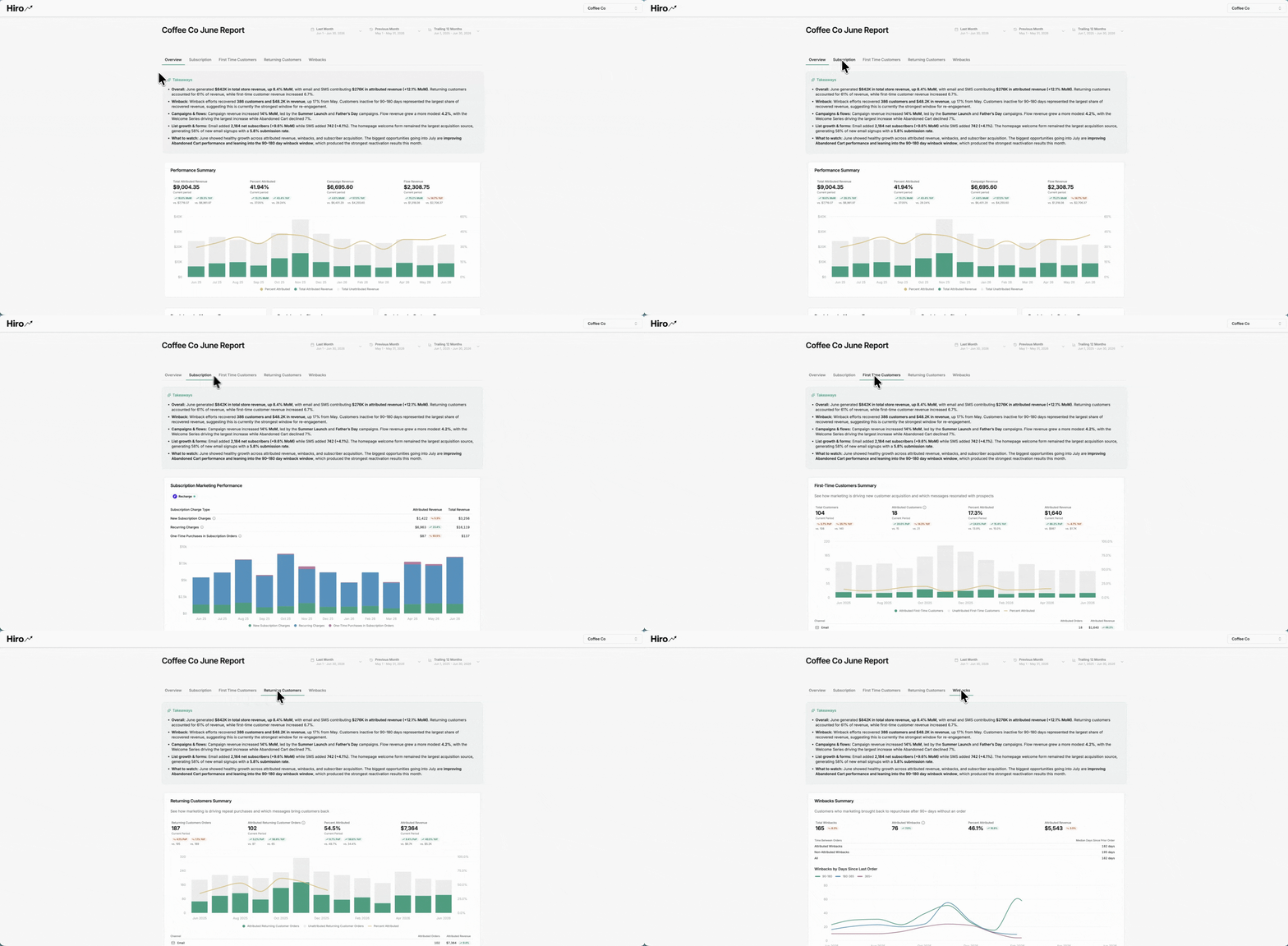
Custom Dashboards now support multiple tabs, making it easier to organize the full client story in one shareable dashboard.
New analysis tabs — Add Subscription, First-Time Customer, Repeat Customer, and Winback analysis alongside the core retention metrics from 1.0.
AI-generated takeaways — Add editable AI insights directly to your dashboard to help turn performance data into a client-ready story.
More control over Client View — Set fixed dates for a report a client will revisit, or relative dates for an always-current dashboard.
Report Generator Upgrades
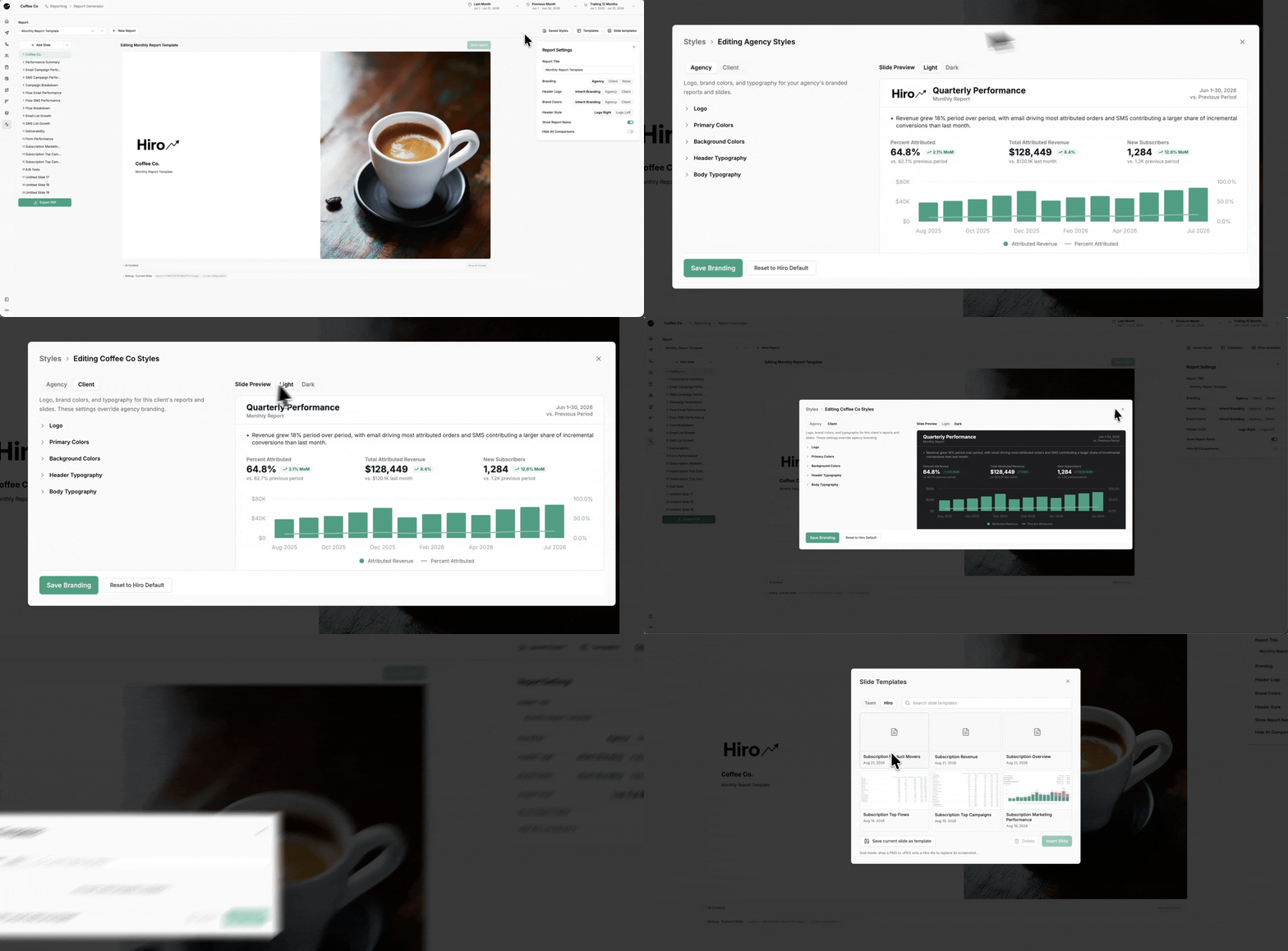
The Report Generator has been upgraded to make client reporting more customizable, on-brand, and reusable across accounts.
Agency & client branding — Customize reports with your agency or client logo, colors, and typography, and switch between light and dark mode.
Template Library — View and manage your saved report templates alongside Hiro's pre-built monthly report.
Reusable slides — Save individual slides as templates and reuse them across client reports.
New Hiro slides — Access ready-to-use slides, including new subscription reporting for subscription clients.
Last Touch Attribution Visibility
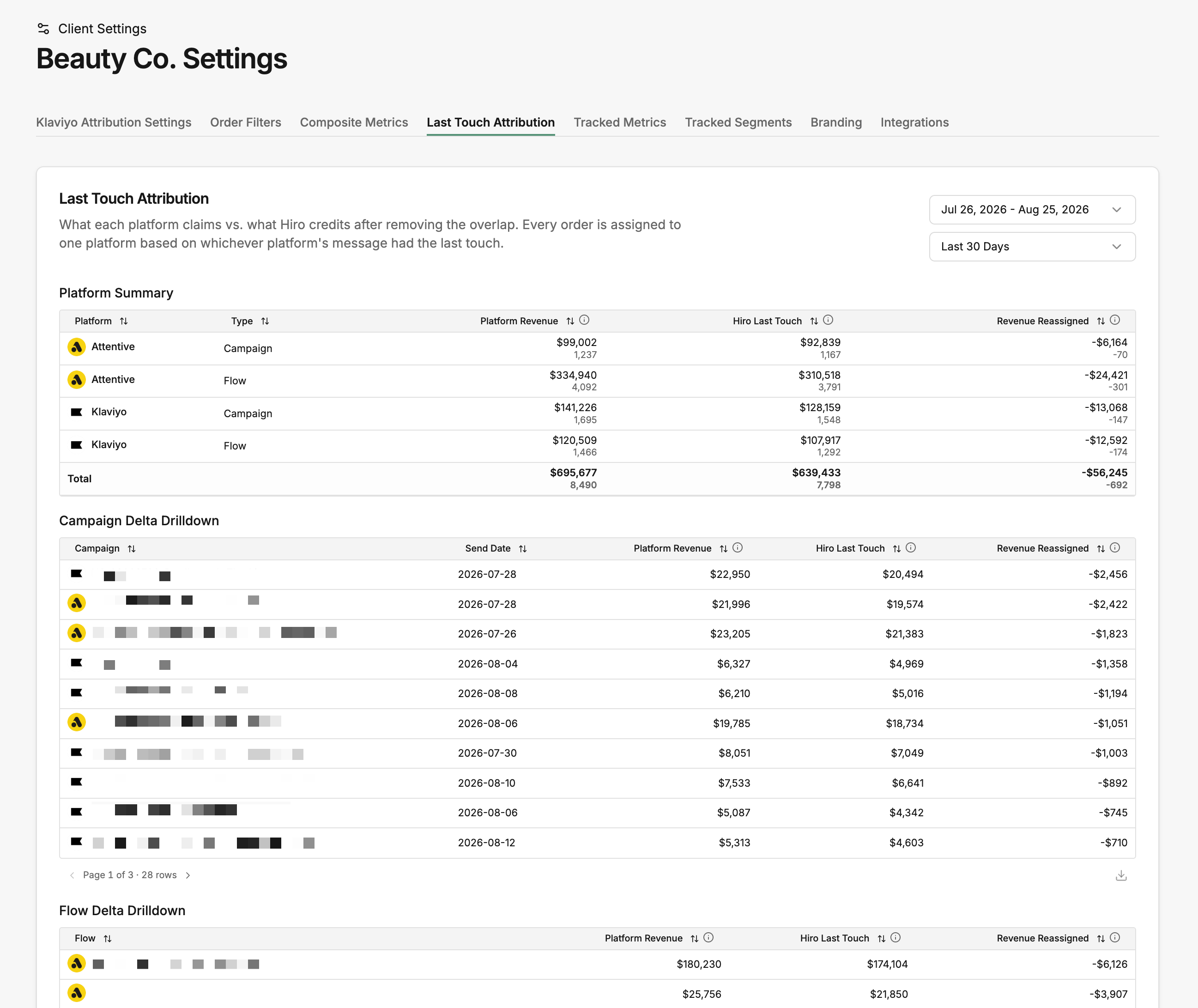
For brands using multiple email and SMS platforms, Hiro now shows exactly how overlapping attribution is reconciled with the Hiro Last Touch Attribution model.
See what each platform claimed, what Hiro ultimately credited after removing overlap, and which platform won each contested order — down to the individual campaign or flow.
Important Migration Notes
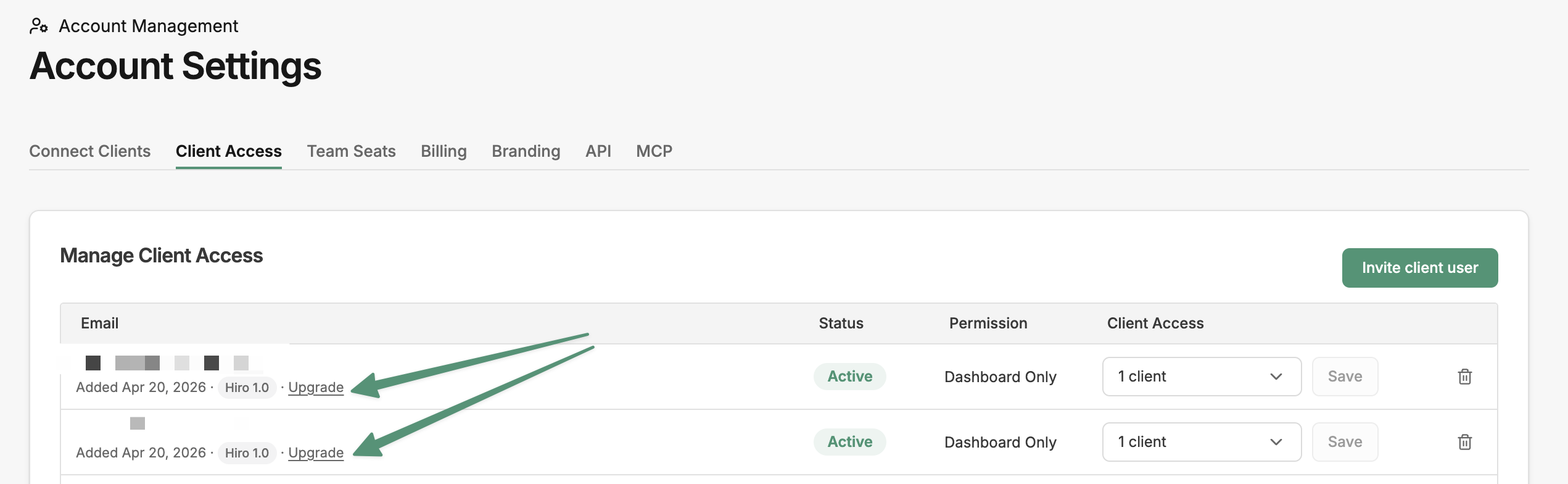
Client Access: Existing client users must be manually upgraded to Hiro 2.0 under Account Settings → Client Access. Until upgraded, they’ll continue seeing Hiro 1.0.
API & MCP: If you use the Hiro API or MCP, you'll need to update to the new 2.0 URLs found in Account Settings.
Templates: All Report Generator and Custom Dashboard templates from 1.0 have automatically carried over. Clients using Hiro's standard Custom Dashboard have also received the new multi-tab 2.0 version; customized dashboards from 1.0 retain their existing setup.
Tell Us What Breaks
Hiro 2.0 is still in beta, and we want your feedback. If you run into an issue, have a question, or see something we can improve, send it our way in your dedicated Slack channel or at help@hiroanalytics.com.